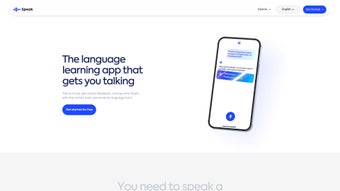

Download Speak.com – AI Language Learning App for Fluent Speaking Practice
Why Speak.com Is the Next Step in Language Mastery
In a world where borders are disappearing and communication happens instantly, the ability to speak a foreign language with confidence is more valuable than ever. Traditional language‑learning tools often focus on reading and writing, leaving learners frustrated when they finally need to converse in real time. Speak.com was created to close that gap.
By leveraging state‑of‑the‑art artificial intelligence, the platform transforms any spare minute into a targeted speaking session, whether you’re on a commuter train, waiting in line for coffee, or sitting at your desk. The app’s design philosophy is simple: make speaking feel natural, immediate, and rewarding. It does this through a combination of a personalized AI tutor, real‑time pronunciation analysis, and a library of scenario‑based dialogues that mimic everyday situations.
Because the engine runs in the cloud, updates to language models, new vocabularies, and cultural nuances are delivered automatically, ensuring that users always practice with the most current content. Whether you are a business professional preparing for an international pitch, a traveler planning a multi‑country adventure, or a student aiming for academic excellence, Speak.com provides a flexible, secure, and engaging environment that puts spoken fluency front and center. This introduction sets the stage for a deeper dive into the app’s core capabilities, installation process, and what you can expect after you download the software.
Overview
Speak.com is a next‑generation AI language learning application that puts spoken fluency at the heart of the learning journey. Unlike traditional language platforms that rely heavily on text‑based drills or scheduled tutor sessions, Speak.com creates a conversational environment that encourages you to speak out loud whenever you have a spare moment. The app’s flagship feature is the Speak Tutor – an AI‑driven virtual character that tailors lesson plans to your personal interests, skill level, and daily schedule.
Whether you’re preparing for a business meeting, planning a vacation, or simply want to improve everyday conversation, Speak.com adapts its curriculum to keep you motivated and accountable. The curriculum is fluency‑focused, meaning it emphasizes real‑world speaking scenarios, instant pronunciation feedback, and interactive role‑plays. All of this is delivered through a secure, cloud‑based platform that continuously updates its language models, ensuring you receive the latest linguistic nuances and cultural references.
In short, Speak.com removes the barrier of finding a live tutor, replaces it with a responsive AI companion, and provides a flexible, immersive way to practice speaking in dozens of languages—all from the comfort of your smartphone or computer. The combination of personalization, instant feedback, and cross‑device syncing makes it a compelling choice for anyone serious about turning passive knowledge into active speaking ability.
Core Features of Speak.com
- AI‑Powered Speak Tutor: A virtual instructor that builds personalized lesson paths based on your goals, preferred topics, and proficiency level.
- Real‑Time Pronunciation Feedback: Instant analysis of your speech, highlighting mispronounced sounds and offering corrective tips.
- Topic‑Based Conversational Modules: Choose from categories such as travel, business, culture, and everyday life to practice relevant dialogues.
- Progress‑Tracking Dashboard: Visual charts display speaking time, fluency score, and vocabulary growth over weeks and months.
- Voice‑Activated Practice Mode: Start a conversation hands‑free by speaking a trigger phrase, perfect for on‑the‑go learning.
- Multilingual Support: Currently supports English, Spanish, French, German, Mandarin, Japanese, and Portuguese, with new languages added quarterly.
- Secure Cloud Sync: All user data, including voice recordings and progress metrics, are encrypted and synced across devices.
- Gamified Challenges: Earn badges and streak rewards for daily speaking sessions, encouraging consistent practice.
- Offline Mode: Download lessons ahead of time to practice without an internet connection.
Each feature is designed with one goal in mind: to make speaking a language as natural as having a conversation with a friend. The AI Speak Tutor not only curates content but also asks follow‑up questions, simulating a real dialogue that forces you to think and respond spontaneously. The real‑time feedback leverages advanced speech‑recognition models to detect subtle pronunciation errors that even native speakers might overlook.
Moreover, the progress dashboard gives you a clear picture of where you excel and where you need more work, allowing you to adjust your practice routine on the fly. The gamified challenges turn language learning into a habit‑forming activity, while the offline mode ensures that long flights or remote locations never interrupt your momentum. All these capabilities are bundled in a clean, intuitive interface that works seamlessly across major operating systems, providing a consistent experience whether you switch from a laptop to a smartphone.
Together, these features create a comprehensive ecosystem that supports learners at every stage—from beginners who need basic phrase practice to advanced speakers looking to polish their accent and expand their idiomatic repertoire.
Installation, Usage & Compatibility
Installing Speak.com is straightforward and takes only a few minutes. The app is available for free download on the official website, as well as on major app stores. Follow these steps to get started:
- Visit Speak.com/download or search “Speak.com” in the Apple App Store or Google Play Store.
- Click the “Download” button for your platform (Windows, macOS, Android, iOS).
- Run the installer (Windows/macOS) or open the app (mobile). The installation wizard will guide you through permission settings and optional shortcuts.
- After installation, launch Speak.com and create a free account using your email or social login.
- Complete the onboarding questionnaire – select the language you want to learn, your current proficiency, and topics that interest you.
- The AI Speak Tutor will generate your first personalized lesson plan. Press “Start Conversation” to begin speaking.
Speak.com runs natively on Windows 10 and later, macOS Catalina (10.15) and newer, Android 6.0 (Marshmallow) or higher, and iOS 13 or later. The desktop versions support both 64‑bit Windows and macOS, while the mobile apps are optimized for phones and tablets of all sizes. Because the core speech‑processing engine is cloud‑based, the app itself remains lightweight, using only a few megabytes of storage. Updates are delivered automatically through the respective app stores, ensuring you always have the latest AI models and security patches without manual intervention.
Using Speak.com is as simple as speaking into your device’s microphone. The interface presents a visual cue when it’s listening, and you’ll see a live transcript of your speech appear on the screen. After each utterance, the AI provides a score (0‑100) for pronunciation, fluency, and relevance, followed by specific suggestions such as “soften the ‘r’ sound” or “use a more natural phrase”.
You can replay your own recording, compare it to a native speaker’s model, and instantly re‑try the sentence. For longer practice sessions, the app offers “Scenario Mode”, where you navigate through a simulated conversation (e.g., ordering coffee, negotiating a contract) and the AI responds dynamically based on your input. All interactions are stored securely, allowing you to review past sessions and track improvement over time.
The combination of an intuitive UI, robust cloud processing, and cross‑platform availability makes Speak.com a versatile tool for learners who demand flexibility without sacrificing performance.
Final Thoughts – Pros, Cons, FAQ & Call to Action
Pros
- Highly personalized AI tutor that adapts to individual learning styles.
- Focus on spoken fluency rather than rote memorization.
- Real‑time pronunciation feedback with visual transcript.
- Cross‑platform compatibility (Windows, macOS, Android, iOS).
- Secure cloud sync and automatic updates.
- Gamified streaks and badges keep motivation high.
- Offline lesson download for uninterrupted practice.
- Extensive scenario library covering business, travel, and daily life.
- Regular addition of new languages and content updates.
Cons
- Free tier limits daily speaking minutes; premium subscription required for unlimited use.
- Voice recognition may struggle with heavy regional accents in early stages.
- Some advanced grammar explanations are brief compared to dedicated tutor platforms.
- Requires a stable internet connection for real‑time feedback (offline mode only for pre‑downloaded content).
- Premium pricing may be a barrier for students on a tight budget.
Frequently Asked Questions
Is Speak.com free or does it require a subscription?
Speak.com offers a generous free tier that includes 10 minutes of speaking practice per day. For unlimited access, advanced analytics, and premium voice models, a monthly subscription (USD 9.99) is available.
Which languages are currently supported?
The app currently supports English, Spanish, French, German, Mandarin Chinese, Japanese, and Portuguese. New languages are added every quarter based on user demand.
Can I use Speak.com without an internet connection?
Yes. You can download individual lessons for offline practice, but real‑time pronunciation analysis requires an internet connection.
How does Speak.com protect my voice recordings?
All recordings are encrypted in transit (TLS 1.3) and at rest using AES‑256. The data is stored on secure cloud servers compliant with GDPR and CCPA.
Is there a trial period for the premium features?
New users receive a 7‑day free trial of the premium plan, giving full access to unlimited speaking minutes, detailed analytics, and exclusive conversation scenarios.
Reviewer: Laura M.
Rating: 5/5
Speak.com transformed my daily commute into a language lesson. The AI tutor feels surprisingly natural, and the real‑time feedback helped me correct my accent within weeks. I especially love the offline mode for long trips.
In summary, Speak.com bridges the gap between traditional language apps and live tutoring by offering an AI‑driven, conversation‑centric experience that is both flexible and effective. Its strengths lie in personalized curricula, instant feedback, and seamless cross‑device syncing, making it an excellent choice for busy professionals, travelers, and anyone eager to boost spoken confidence. While the free version imposes modest daily limits and occasional accent‑recognition hiccups, the affordable premium upgrade unlocks unlimited practice and deeper insights, delivering strong value for the price.
Ready to start speaking like a native? Download Speak.com now, create your free account, and let the AI Speak Tutor guide you toward fluency—one conversation at a time.



.png)



